How to attach or create EDMS Documents in Infor EAM
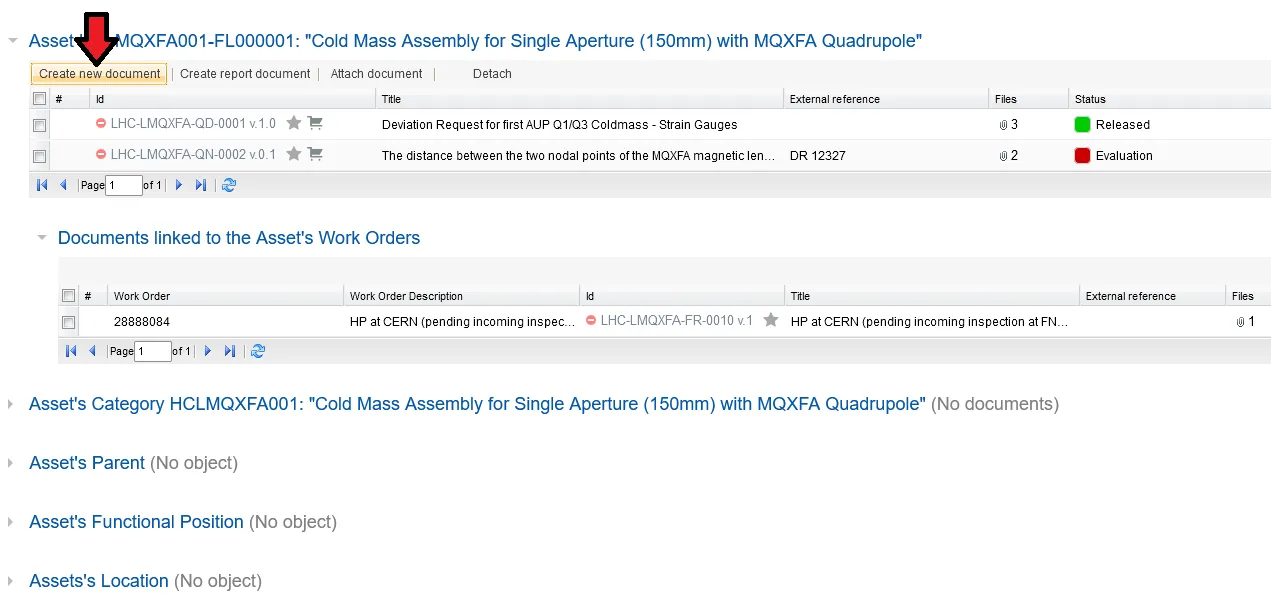
If you would like to create a new document or attach an existing one, please access the EDMS Documents tab and click on the corresponding button; “Create new document” or “Attach document”.
You will have a window popping up where you can fill in the details about your document.
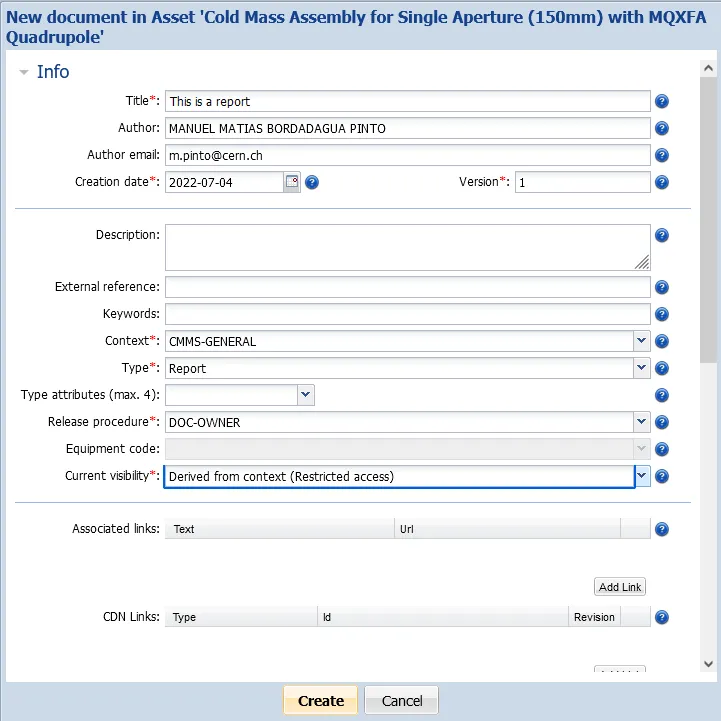
After it, if you scroll down, you can drag and drop a document to this window and click on "Create" for it to be attached to that Asset