Tag: eam-light
-
Structure manipulations in EAM Light
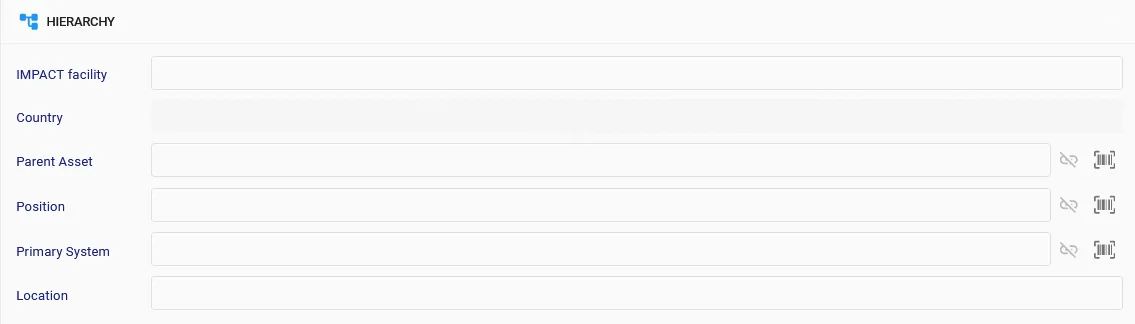
Structure manipulations in EAM Light It is possible to manipulate equipment structure in EAM Light in several ways: 1) Using the record view of the equipment – here an example for parents of an asset: Only one of the parents (asset, position or primary system) can be ‘dependent’ and only one Asset can be a
-
How to extract data – Shall I use dataspies, grids or reports?
How to extract data – Shall I use dataspies, grids or reports? Here is a quick rule of thumb about which means to use for extracting what sort of information from EAM: In all cases the interface provides an option to extract the data to a spreadsheet format.
-
How to register ownership information in EAM or EAM Light
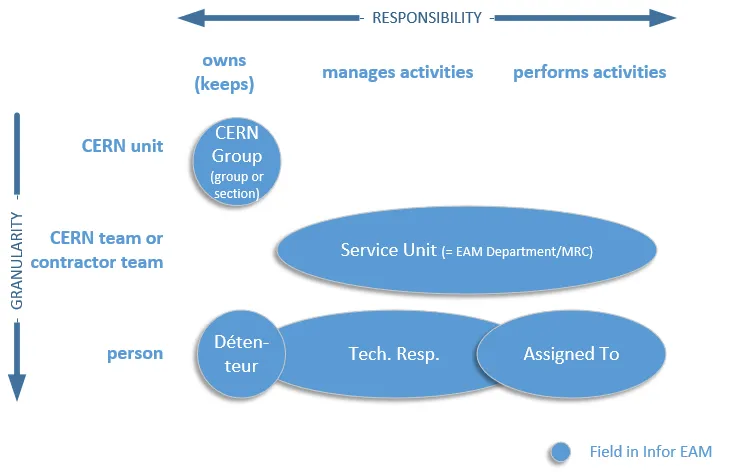
How to register ownership information in EAM or EAM Light Depending on the type of responsibility and the granularity, the ownership information can be registered by the means of the fields CERN Group, Service Unit, Technical Responsible, Assigned To and Détenteur. The image below allows to visulaize better these relationships. For more information, please consult
-
How to colour code Classes in EAM and EAM Light
How to colour code Classes in EAM and EAM Light EAM and EAM-Light will display colour icons for classes when configured. Please contact the support to add colored icons for any of your classes or consult the documents Tricks & Tips n6 – Colours for Classes and User Meeting – Colours for Classes for more
-
Checklists – old and new functionalities
Checklists – old and new functionalities Description Checklists – old and new functionalities for EAM Light Doc publication date 2020-06-23 Document link https://edms.cern.ch/ui/file/2389157/1/Goran_user_meeting_checklist_news_and_reminder_20200622_pptx_cpdf.pdf
-
How to link an EDMS Item to an EAM Part and related Assets
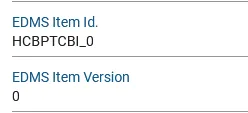
How to link an EDMS Item to an EAM Part and related Assets The link from EDMS item to an EAM part is through two user-defined fields "EDMS Item Id" and "EDMS Item Version". As an example the part called "HCBPTCBI_0" (tracked by asset) is configured to link to the item: https://edms.cern.ch/item/HCBPTCBI_0/0 It’s done
-
How to Print the Contents of a Work Order Checklist in EAM Light
How to Print the Contents of a Work Order Checklist in EAM Light Once a checklist has been created, it's possible to create a PDF version of it so that it can be stored and printed. First, select the Work Order and navigate to the Checklist. Then, click on the blue button below the "CHECKLISTS"
-
How to access EAM Light
How to access EAM Light EAM Light at CERN can be accessed with the following URLs: Production: https://eamlight.cern.ch Test: https://testeamlight.cern.ch If you don’t have an EAM account, the system will automatically create one with basic access rights. In case you would need to change your access rights please contact your local administrator (link page here)
-
How to compose direct links to records in EAM (extended)
How to compose direct links to records in EAM (extended) There exist two methods to compose direct links to records in EAM: 1. Links using php scripts One method to access EAM records is provided by the means of the links below that call a php script. This method does only work on the production
-
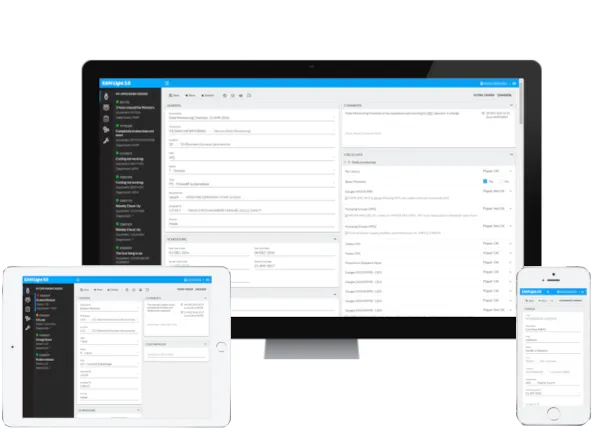
EAM Light
EAM Light EAM Light is a CERN-developed simplified web interface for performing a limited sub-set of functionality of Infor EAM. The interface is fully functional in all web browsers on most platforms, including smartphones and tablets. With the help of this tool, the users can execute and document their work in the field in an