Tag: upload-utility
-
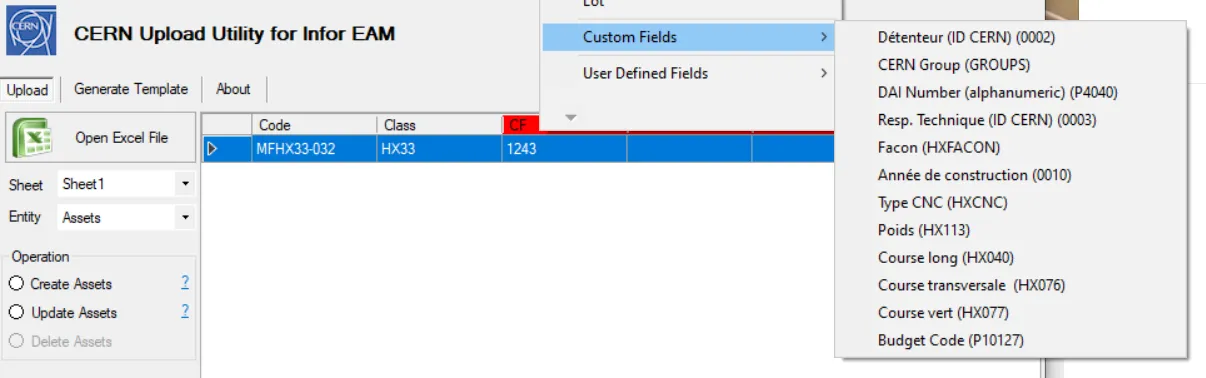
How to update custom fields in the Upload Utility
How to update custom fields in the Upload Utility Single custom field values can be uploaded with Upload Utility. The only requirement is to have an entity that belong all to the same class. You first need to select the environment (TEST or PROD) as the classes may be different (available on the Upload tab)
-
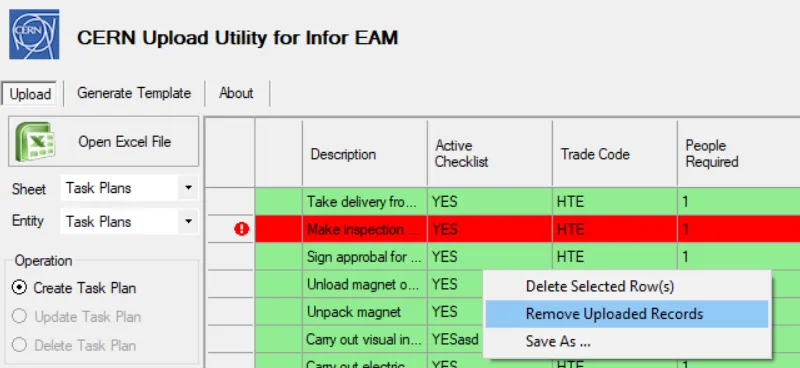
How to delete your already uploaded records
How to delete your already uploaded records If during your upload you get a few errors, you can easily remove the uploaded records and restart the upload. In order to remove the uploaded rows: right click on the table region and click on "Remove Uploaded Records". Once only the errors will be listed and you
-
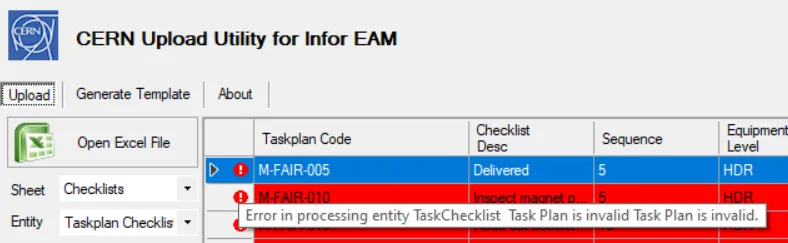
How to check what error you got during the upload
How to check what error you got during the upload Errors during the upload are frequent but most of the time are easy to solve. Once you get an error, move the cursor on the red dot at the very beginning of the row to see where the problem come from.
-
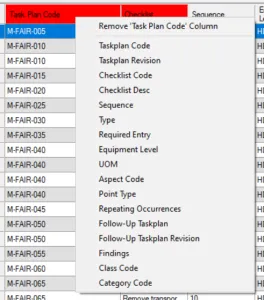
Upload Utility: how to change column headings if they are not recognized
Upload Utility: how to change column headings if they are not recognized When you select an Excel file from your computer, it can happen that not all the columns are properly recognized in Upload Utility. The quickest method to correct it, it's a right click on the not recognized header (highlighted in red) and select
-
How can I access the CERN Upload Utility and install it
How can I access the CERN Upload Utility and install it The CERN Upload Utility can be downloaded from the creator’s webpage: http://lpater.web.cern.ch/UploadUtility/publish.htm You can also google "Upload Utility CERN" and the first result should be the good one.
-
Introduction to Mass Generation and Mass Update of Infor EAM Records by Upload
Introduction to Mass Generation and Mass Update of Infor EAM Records by Upload Description This document explains the principles and pre-requisites for using CERN's Upload Utility for EAM records. Doc publication date 2020-03-06 Document link https://edms.cern.ch/document/1699744
-
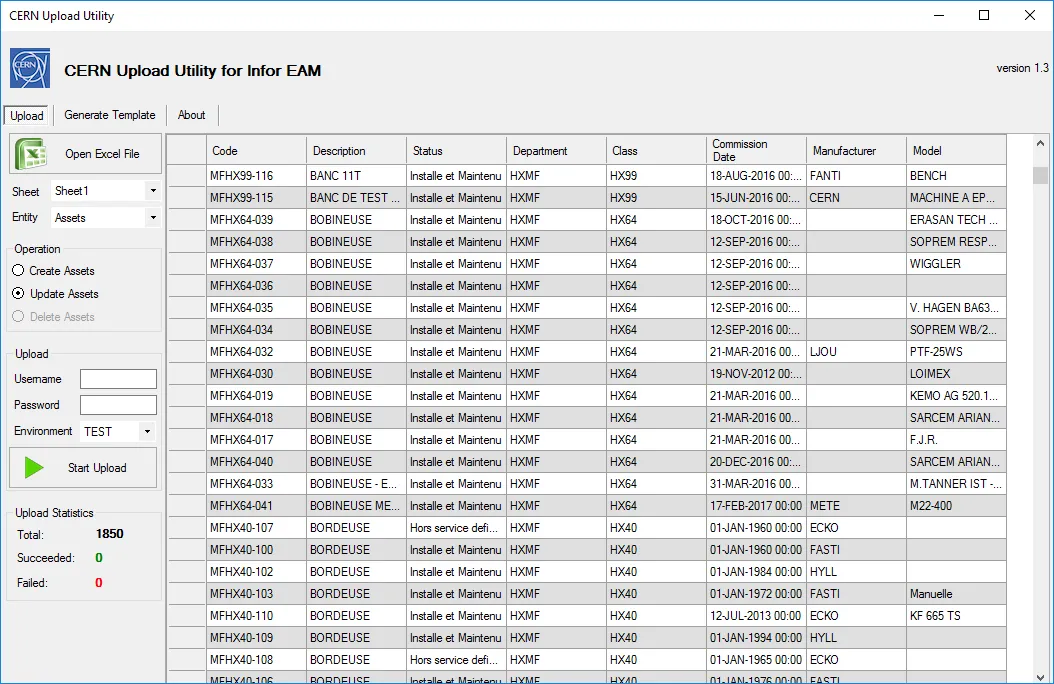
CERN Upload Utility
CERN Upload Utility The CERN EAM Upload Utility is a user friendly-tool for massive creation or updates of data in Infor EAM. It allows generation of tailored Excel templates with fields selected on demand depending on the user needs. The progress of data upload is indicated directly in the tool and try to help in