What are the Keyboard Shortcuts to access different Screens in EAM
The shortcut Ctrl + F2 opens a pop-up for navigating to any of the screens in your menu. To select a screen, you can either use the lookup on the pop-up or you can type the 6-letter screen code directly into the field. By the way, the screen codes are shown in EAM-Light on the right hand side of the white menu bar. Here is how the screen names are constructed:
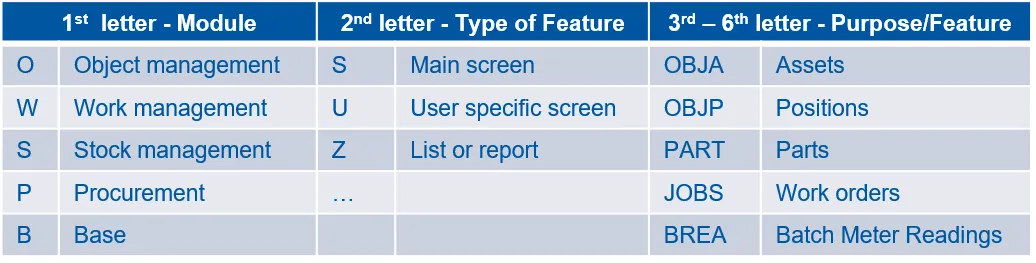
For more information, please consult the document Tips & Tricks n3 – How to find a Function fast.