Tag: eam
-
How to work with Inspections in EAM
How to work with Inspections in EAM To know more about inspections please consult the following links: Inspection Module Basics Inspection Module – Infor EAM 8.3 Extended Inspection Work Orders – Example Inspection Management with Infor EAM 8.3 & CERN EAM Mobile Application
-
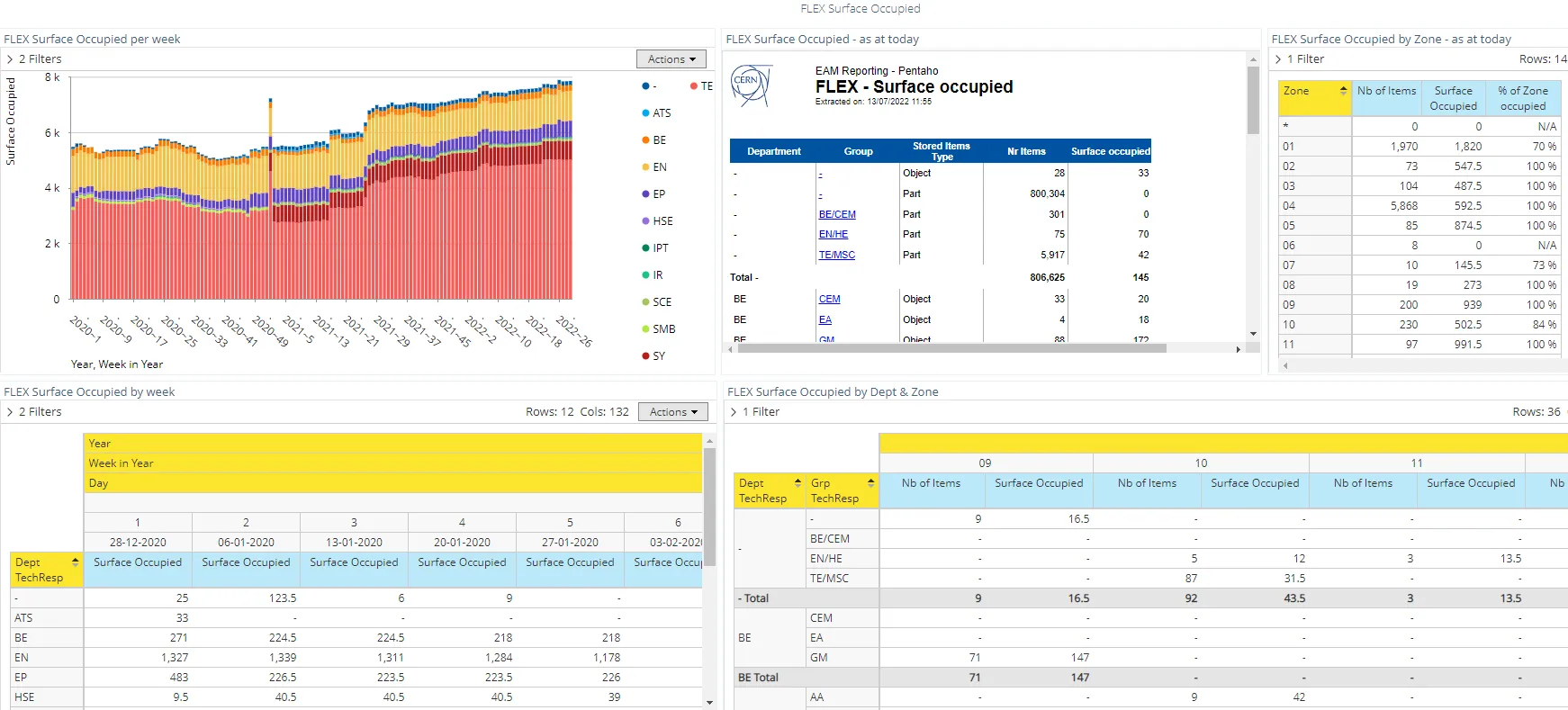
EAM BI & Reporting
EAM BI & Reporting EAM Service provides a Business Intelligence (BI) & reporting service within standard setups around maintenance and EAM data. The support includes: Standard reports Standard reports are available from Reports tab in the menu of Infor EAM: Individual reports For individual reports, please send a request to eam.support@cern.ch Details Quick Access Version:
-
How to access the manual for EAM Extended
How to access the manual for EAM Extended There are many documentation files for EAM Extended that are updated from time to time whenever a major version release happens. You can find these documents in the links below. Official Manual: https://edms.cern.ch/document/1266400/11.7 Tips and Tricks: https://edms.cern.ch/ui/#!master/navigator/project?P:1089122115:1089122115:subDocs
-
How to access EAM (extended) and EAM Light
How to access EAM (extended) and EAM Light You can access EAM through the following links: EAM (Production) – https://eam.cern.ch EAM Light (PROD) – https://eamlight.cern.ch EAM (TEST) – https://testeam.cern.ch EAM Light (TEST) – https://testeamlight.cern.ch Note that if you do not have an account created, you might encounter an error at the first time you login